Which background remover is actually worth your time?
Your phone already removes backgrounds. Here is when a web tool still wins, where each service puts its paywall, and which two brands share one owner.
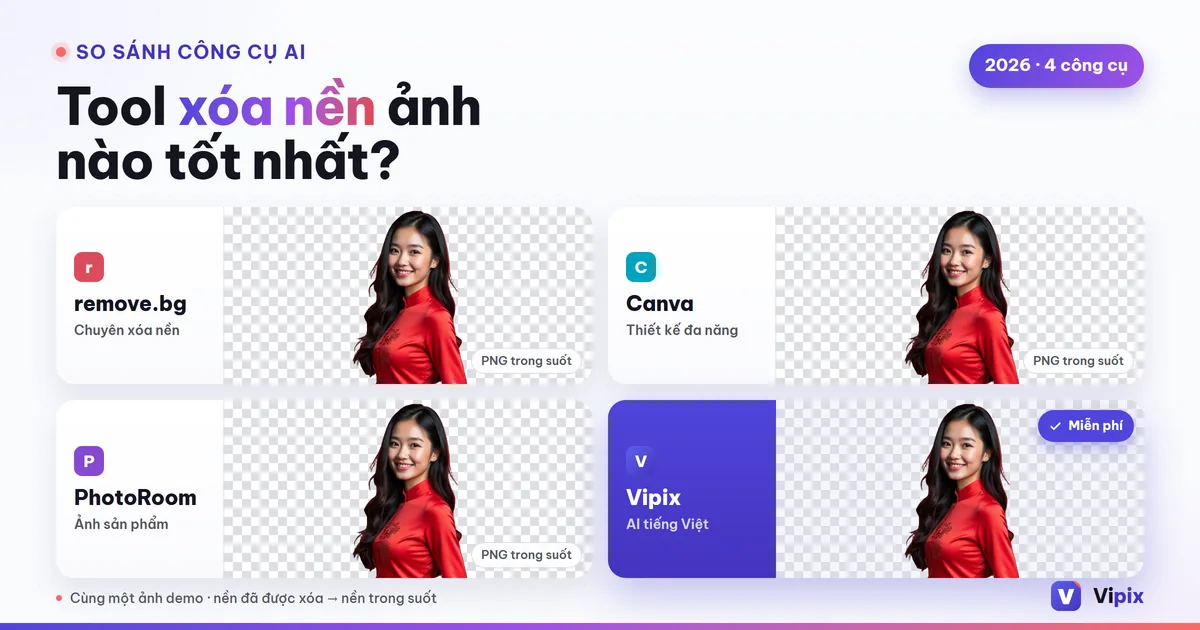
Search for a background remover and you get a dozen names, most of them published by the tools themselves. Every one of them promises free, one click, and edges sharp as a scalpel. Then you do actual work — a product shot for a listing, a headshot for LinkedIn, a portrait that needs a different backdrop — and each one turns out to have its own catch.
This compares the five names you will keep meeting, on the things that decide the job rather than on a star rating. It includes where this platform's own tool falls short. One thing worth saying at the top: there is no best background remover, only the best one for the file you need at the end.
Start here: your phone probably already does this
Before paying anything, check what you already own. Both mobile platforms now lift a subject or erase an object without an app install, and for a quick share that is the fastest route on earth.
It is not universal, though. Apple's Clean Up runs on Apple Intelligence, and Apple lists the hardware plainly: iPhone 16 models, iPhone 15 Pro and iPhone 15 Pro Max; any iPad with A17 Pro or M1 and later; a Mac with M1 or later — on iOS 18.1, iPadOS 18.1 or macOS Sequoia 15.1. An older handset simply is not offered the feature.
The bigger limit is what you are left holding. A phone hands you a subject to paste into a message or keep as a sticker; it is built for sharing, not for producing a transparent file at full size that a printer or a marketplace will accept. If the phone route is enough for you, the walkthrough is in removing a photo background on iPhone and Android.
When a web tool still beats the built-in one
Hair, fur and semi-transparent edges
Every service is fine on a hard-edged object against a clean wall. The separation shows on a windblown hairline, a fur collar, a wine glass, a chain-link fence. What decides that is mostly the resolution and sharpness of your original — a small, heavily compressed photo has already thrown away the detail the model needs.
A real alpha channel, not a white box
This is the one that quietly ruins files. A cutout is only useful if it comes back as PNG or WebP with an alpha channel. Anything that hands you a JPG has filled the empty area with a color, usually white, and you are back to a subject sitting on a rectangle. Check the format of the download, not the look of the preview.
Repeatability
Fifty product shots need the same subject size, the same margins and the same background on every frame. That is a workflow question rather than a model question, and it is where single-purpose services and full platforms genuinely differ.
The names you will meet — and who owns whom
Start with a fact that reshapes the usual four-way comparison: two of these are the same company. Kaleido, the maker of remove.bg and unscreen.com, announced in February 2021 that it was "joining the Canva family, bringing our technology directly into Canva's leading global design platform," adding that for existing users of remove.bg and unscreen "nothing will change for you." So a shortlist of remove.bg versus Canva is a shortlist with one owner on both sides of it.
The rest, taken only from what each company publishes about itself and checked on the day this was written:
| Service | Built around | Where the gate sits | Checked at source |
|---|---|---|---|
| remove.bg | cutouts, plus an API | its API page grants "your first 50 API calls per month" and documents output ceilings — up to 10 megapixels for PNG, up to 50 for JPG, WebP and ZIP | yes, 08/29/2026 |
| Canva | a design suite the remover lives inside | the only tier sentence on its feature page is an invitation to "sign up for Canva Pro for unlimited usage and access to more tools like Video Background Remover" | yes, 08/29/2026 |
| PhotoRoom | product photography, app and web | plan-based allowances published as export counts on its own pricing page | yes, 08/29/2026 |
| Fotor | a general editor with a free-first pitch | its page carries the badge "Free HD Download / No Watermarks / No Sign-Up Required" and accepts files up to 60 MB and 8192 × 8192 px | yes, 08/29/2026 |
| Adobe Express | a design suite | not stated here — see below | no |
| VIPIX | a platform of image tools sharing one account | credits spent per image, with the cost shown on the button before you run it | n/a, this is us |
Two honest gaps in that table. Adobe Express is the fifth name you will meet, and its feature page did not load for us on 08/29/2026, so this article does not characterize it — an unverified sentence about a competitor is worse than a blank cell. And the question everyone asks about PhotoRoom, whether its free tier stamps a mark on the output, is not answered on the pages we could open, so it is not answered here either.
That Fotor badge deserves a pause, because it settles an argument. A comparison built on "they all trap you, we are the honest ones" does not survive first contact with the US market, where several services publish exactly that promise on their own front page. The useful question is not who claims free. It is what each definition of free actually covers — the subject of what "free, no watermark" really buys you.
What the destination demands of the file
Where the cutout is going decides which tool you need more than edge quality does. Selling venues each publish their own image rules — background color, minimum dimensions, what may appear in a main image — and they do not agree with one another, so the only reliable version is the live page on the site you are listing on. The venue-by-venue breakdown is in white-background product photos for marketplaces.
For choosing a tool, that reduces to one requirement: keep the transparent master. Flattening onto whatever white a venue demands is a five-second job from a PNG with alpha and an impossible one from a JPG.
Where VIPIX fits, and where it does not
It fits if you want per-image pricing without a subscription, a transparent PNG at the resolution you uploaded, and the next steps — sharpening, retouching, clearing clutter — on the same account instead of across four services. Background removal is set to return an unmarked file: that is a per-tool setting; the value here was checked on 2026-09-06 against the tool configuration that ships with the code, and it is stated with a date rather than as a permanent promise, because an administrator can change it.
It does not fit if you want a desktop application with layer-level control. The account question needs a mechanism rather than a flat no: a no-account lane exists as a per-site setting an operator turns on or off, so whether it is open on the day you read this, and which tools sit inside it, is not something an article can promise. On the tools whose mark depends on how you run them, the split is signed-in versus anonymous, not paid versus free: run one without signing in and the file carries a corner mark; sign in and the same tool returns it unmarked, whatever you are paying. Image generation is the exception and marks its output by design. Credits are spent per run, and current amounts live on the pricing page, not in an article that will age.
Frequently asked questions
Is there a background remover with no sign-up and no watermark?
Some services publish exactly that claim — Fotor's own page carries it as a badge. Before you rely on one, check three things beyond the claim: whether the free download is full resolution, what the terms say about commercial use, and what happens to your uploaded file afterwards.
Why does my free download look blurry?
Because a preview and a deliverable are different products. Several services process at full size but release a reduced version until you pay, which is a pricing decision rather than a quality limit. Compare the pixel dimensions of the download with those of your original — the difference tells you which one you were given.
Is remove.bg the same company as Canva?
Yes. Kaleido, which makes remove.bg and unscreen.com, announced it was joining Canva in February 2021, and said existing users would see no change.
Can I use these images commercially?
That depends on two separate things: the rights you hold in the photograph, and the terms of the service you ran it through. Free tiers in particular sometimes license output for personal use only, which is a clause worth reading before a catalog upload.
Try it on one photo
Pick the hardest photo you have — hair against a busy background, or a bottle with a transparent shoulder — and run it through two of these. One difficult image tells you more than any comparison article, this one included. Then check the file you got back: if it is a PNG with real transparency at the size you uploaded, the tool did its job. Open the background remover
How this article was made
- Written — seo-content produced the en-US version of /blog/tool-xoa-nen-anh-tot-nhat under brief I18N-11, 2026-08-29.
- Reviewed — seo-review re-ran the §G publication gate on 2026-09-06 (VIPIX session s148) on an earlier revision and returned PASS-WITH-FIXES, and the next revision fixed the issues that verdict names. Verdict on file: reviews/en-US-regate-s148-verdict.md (earlier gates, 2026-08-29: en-US-T1-regate-verdict.md, en-US-T2T4-gate-verdict.md, en-US-T3-gate-verdict.md). Since then, the article's internal links have been updated, and on 2026-09-28 this note was corrected.
- Process — content drafted by the Vipix SEO team's LLM under a reviewed brief; edited and checked by the Vipix SEO team; no native-speaker contractor was engaged.
Every tool does one job — pick yours
18 tools, each tuned for a single task, so you are not hunting through menus for the one setting that does what you meant.
Browse all tools