"Free, no watermark" — what that actually buys you
Free comes in at least six shapes, and the watermark lands on some features but not others. How to tell which offer you are being handed before you upload.
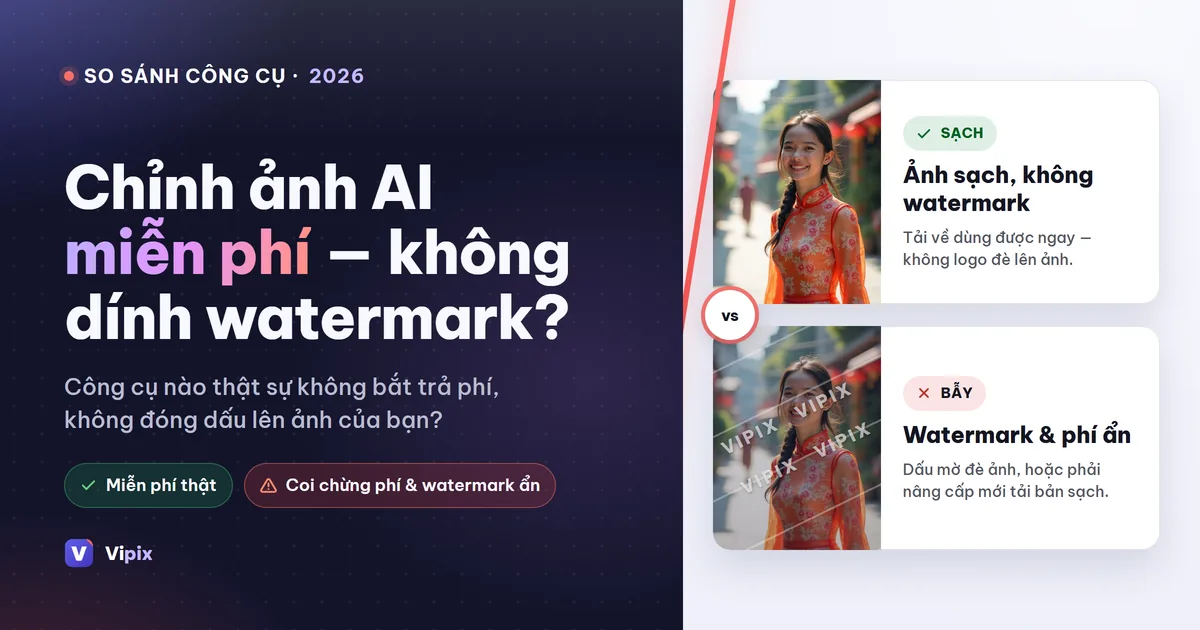
You want to edit one photo without paying and without a logo across it. Every result on the first page promises exactly that, several of them in their page title. So either the problem is solved, or the word is doing more work than it looks.
It is the second one. "Free" is not one offer, it is at least six different ones, and the difference only shows up after you have done the work. Here is how to read an offer before you upload, where marks actually land, and where this platform sits — including the places it stamps your image.
What US advertising rules say about the word "free"
The US has a written rule for this, which is unusual and useful. The Federal Trade Commission's Guide Concerning Use of the Word "Free" (16 CFR 251.1) starts from a plain premise: when something is offered free with a purchase, the word means the customer "is paying nothing for that article and no more than the regular price for the other." Conditions attached to a free offer have to be disclosed clearly and up front, not in a footnote you find after committing.
Two provisions are worth knowing because they contradict how the phrase is used online. Under paragraph (f), a free offer tied to the introduction of a new product is only proper if the seller expects "in good faith, to discontinue the offer after a limited time" and then sell the thing separately at the same price. And paragraph (h) sets a frequency limit: "A single size of a product or a single kind of service should not be advertised with a 'Free' offer in a trade area for more than 6 months in any 12-month period."
Read that against a permanent "free forever" banner and the interesting question stops being whether a service says free. It is which of the six shapes below it means.
Six shapes of "free" you will meet
1. Free to make, marked on the way out
The familiar one: full tool, logo on the output, and removing the logo is the product being sold.
2. Free up to a daily count
A fixed number of runs per day, then a wait or an upgrade. Magic Hour publishes this shape openly: "You get 3 free edits per day — no account needed." Nothing hidden about it, but three is a number you find at the wrong moment if nobody told you.
3. Free to preview, paid to download
The result looks perfect on screen and the full-size file is behind the checkout. This is the shape that produces the "why is my download blurry" question, and it is a pricing decision rather than a quality limit.
4. Free credits when you sign up
A starting balance you spend as you like, with each action priced. The most legible of the six, because you can see what each run costs before you spend it.
5. Free at the API, not in the app
Easy to miss because it is real but for developers. remove.bg grants "your first 50 API calls per month are on us" — an allowance that exists at the programming interface, not on the page a normal visitor uses.
6. Free to produce, licensed for personal use only
The one that costs money later. The run is genuinely free and the file is genuinely unmarked, and the terms still restrict what you may do with it: Magic Hour states that "free users can use outputs for personal projects and non-commercial purposes." If the photo is going onto a listing, that clause matters more than the watermark does.
The watermark follows the feature, not the brand
Here is the part most comparisons get wrong, including ours in its earlier form. A platform does not have "a watermark policy." Each tool has one, and the pattern is consistent across the industry for a reason.
Tools that remove something and hand back your own photograph rarely mark the result. Tools that generate new pixels almost always do, because a visible mark is how a service signals that an image was synthesized. So on any platform, the honest question is not "does this company watermark" but "does this feature."
For this one, stated per feature rather than per plan, and checked on 2026-09-06 against the tool configuration that ships with the code:
| What you run | Mark on the result |
|---|---|
| Background removal, background blur, background replacement, ID-photo cutout | none |
| AI image generation, editing by text prompt | always, and visible |
| Object, text, watermark and person removal; upscale, colorize, restore, face enhance, deblur | a corner mark on a run made without signing in; signed in, the file comes back clean — on any plan, including the free one |
That third row is the one to read twice, and the line it draws is not the one most people expect: it is signing in, not paying.
Two things belong beside that table rather than in a footnote. It is a dated reading, 2026-09-06, and it was taken from the tool configuration that ships with the code rather than from the running site, because the mark is a per-tool setting an administrator can change at any time rather than a property of the software that would need a new release to move. And it covers the tools named in it, not every tool on the platform: a tool that has no row here has its own setting, and the place to check is that tool's page.
Why almost every AI editor wants an account — and who doesn't
The general claim you will read, including in the earlier Vietnamese version of this article, is that every serious AI editor requires an account because inference costs money and nobody gives away unmetered compute. The first half is true. The second half is not universal, and in this market it is demonstrably not: Fotor answers its own FAQ with "Yes, Fotor image background remover is free to use with no sign up needed," and Magic Hour advertises an editor that "works in your browser with no account, no sign up, and nothing to install."
So the accurate version is narrower. An account buys the service abuse control, a place to keep results, and a way to meter cost — and services that skip it replace those with something else: a hard daily count, a narrower feature, or a personal-use license. When you find a no-account tool, look for which one it chose.
A ten-minute test before you commit
Run one photo through a candidate and answer five questions in order.
- What did the file actually come back as? Open it. PNG with transparency, or a JPG with white filled in behind the subject?
- Is it the size you uploaded? Compare pixel dimensions with the original. A shrunken download is shape 3.
- Is there a mark, and on which feature? Try one removal tool and one generative tool. The answers will differ.
- What do the terms say about commercial use? Search the terms page for "commercial". Shape 6 hides there.
- What happens to the upload? Retention and deletion should be written down somewhere findable.
Where this platform stands, plainly
Pricing is per image in credits rather than per month, and each run's cost appears on the button before you commit. Current amounts live on the pricing page, not in this article — a page can be corrected, an article goes stale.
The feature table above is the whole watermark answer, and it is worth being exact about what kind of answer it is. The mark is attached to the tool, not to the plan: no tool appears or disappears with a tier, and what a plan changes is amounts and limits. The third row does draw a line, but it is not a paywall — the setting there marks output from runs made without an account, and a signed-in free account gets back the same clean file a paying one does. That is a configuration value on those tools, which is why it is printed with a date on it rather than described as a benefit of paying.
There is also an optional no-account lane, and the honest description of it is a mechanism rather than a list. Whether it is on, which tools it covers and what the daily cap is are operator settings, held per site and changed at runtime; the values that ship with a new installation govern a brand-new database only and say nothing about what is switched on today. So this article prints no list of tools for that lane. A list printed here would be wrong the moment somebody edited the setting, and nothing on the page would tell you. What is stable is the shape: a small number of tools, a site-wide daily cap, and no guarantee that any of it stays available. Treat it as convenience for a single photo, not as something to build a workflow on.
Frequently asked questions
Which AI photo tools have no watermark at all?
On this platform, in the tool configuration that ships with the code as of 2026-09-06: background removal, background blur, background replacement and ID-photo cutouts return unmarked files. That is a per-tool setting an administrator can change rather than a permanent property, so check the tool's own page if you are reading this much later. Elsewhere, several services publish a no-watermark claim on their own pages. Check the download rather than the banner, and check the terms for a personal-use clause.
Why is there a watermark on AI-generated images but not on cutouts?
Because they are different acts. A cutout returns your photograph with something taken away; a generated image is new pixels that did not exist before, and a visible mark is how services disclose that. Expect the split on nearly every platform.
Do I have to create an account to edit one photo?
Not always. Some services genuinely do not require one, and this platform can be configured with a small no-account lane under a daily cap — whether that lane is open today, and which tools it covers, is an operator setting rather than something this page can promise. For anything you need to download again or use commercially, sign in — signed-in results are saved to My images for the retention period (see our Privacy Policy), and the terms for using them are unambiguous.
Is "free forever, no watermark" ever true?
Sometimes, for a narrow feature, on someone else's terms. Note the FTC's frequency provision above: a single offering advertised as free for more than six months in any twelve is something the guide addresses directly. That does not make it a scam — it makes "forever" a word to verify rather than accept.
The mark you actually wanted removed
If your problem is not the mark a tool adds but one already sitting on a photo you own, that is a different job with different rules — start with picking the right eraser for what is on your image. To judge quality for yourself, one cutout from the background remover is the fastest test there is.
How this article was made
- Written — seo-content produced the en-US version of /blog/chinh-anh-ai-mien-phi-khong-watermark under brief I18N-11, 2026-08-29.
- Reviewed — seo-review re-ran the §G publication gate on 2026-09-06 (VIPIX session s148) on an earlier revision and returned PASS-WITH-FIXES, and the next revision fixed the issues that verdict names. Verdict on file: reviews/en-US-regate-s148-verdict.md (earlier gates, 2026-08-29: en-US-T1-regate-verdict.md, en-US-T2T4-gate-verdict.md, en-US-T3-gate-verdict.md). Since then, the article has been edited further. On 2026-09-28, its wording about saved results was corrected to use the page name My images, a change that went through a separate §G gate the same day; this note was also corrected that day.
- Process — content drafted by the Vipix SEO team's LLM under a reviewed brief; edited and checked by the Vipix SEO team; no native-speaker contractor was engaged.
Every tool does one job — pick yours
18 tools, each tuned for a single task, so you are not hunting through menus for the one setting that does what you meant.
Browse all tools