A headshot that looks like you, from the selfie you already have
Turn an everyday selfie into a professional headshot: AI swaps in a shirt or suit and tries to preserve your face. Not for US passport photos.
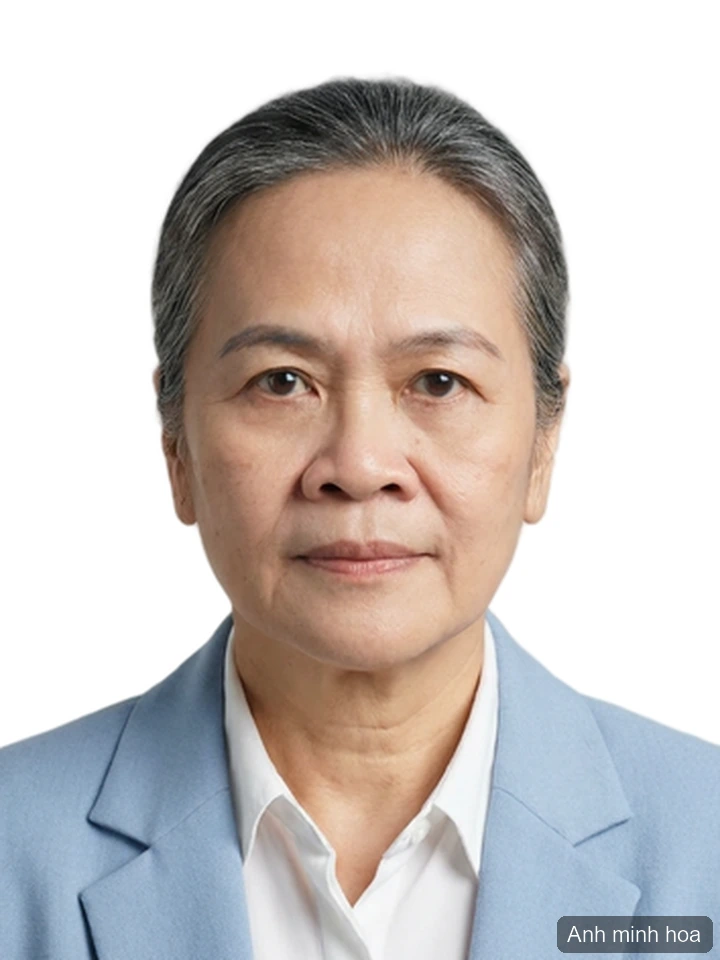
You need a decent photo of yourself for a profile, a badge or a team page. What you have is a camera roll full of t-shirts, kitchen walls and bad lamps.
The tool on Vipix takes one ordinary portrait, swaps the clothing for a shirt or a suit, drops in a plain background and crops it — and it is built to keep your face recognizably yours. About a minute, in a browser. Here is what that gets you, where it is the wrong tool, and how to pick a source photo that works.
What this makes — and what it is not for
Good for: profiles, badges, team pages, speaker bios
This is a professional portrait, not a document photo. It fits the places where a person picks the photo and a human looks at it: a LinkedIn profile, an employee badge, the staff grid on a company site, a conference speaker bio, an internal directory.
Not for: US passport, visa or immigration photos
Read this part before you spend anything on it.
The US Department of State is explicit about photo editing for passports: "Do not change your photo using computer software, phone apps or filters, or artificial intelligence." The same guidance tells applicants not to use a photo they created or edited with AI or other digital tools.
That rules this tool out for a US passport photo, and it is worth assuming the same posture for visa and immigration paperwork — check the instructions for the form you are actually filing. A photo made here can look excellent and still be rejected, and a rejected photo costs you a resubmission.
If a passport photo is what you came for, that is a different job with its own rules: what the US passport photo rules mean for a photo you take at home covers it properly.
A note about résumés in the US
The Vietnamese version of this article puts "job application photo" at the top of the list. In the US that advice runs the wrong way.
The EEOC's guidance on prohibited employment policies says employers should not ask for a photograph of an applicant, and that if one is needed for identification it can be obtained after an offer of employment is made and accepted. That is guidance pointed at employers, not a rule about you — but it tells you what a US hiring team is trying to avoid. Attaching a headshot to a résumé is not the norm here, and a good headshot does not change that.
Put it on your profile instead. That is where a US recruiter expects to find it.
How it works: outfit, background, crop
Two things happen. The background job is the familiar one: the subject is separated from whatever mess is behind you, dropped onto a plain background, and cropped. The clothing job is the interesting one: a model reads your face, shoulder line and lighting, and puts a shirt or a suit on you that sits the way real fabric sits, instead of pasting a flat cutout over your chest.
What it changes is clothing and background, not identity — though, like any AI edit, the result is a very close reconstruction rather than a pixel-for-pixel copy. Which is also the honest limit: a sharp, well-lit source photo still decides most of the result. The tool finishes the outfit and the backdrop — it does not invent a better face than the one you uploaded.
Four steps in the browser
Nothing to install. This is what you actually do.
1 — Upload a clear portrait. Sign in, then upload. Common formats work — JPG, PNG, WEBP — and you can upload straight from a phone. Uploading costs nothing on its own.
2 — Pick a crop and a background color. The size presets are built around ID-photo formats, so if the photo is headed for a profile picture, take the download and crop it square yourself. For background, white is the safe default; a blue background is there for the places that ask for one.
3 — Choose a tier. Three levels, described below. The cost of each shows on the button before you press it, and nothing is deducted until you do.
4 — Download. Compare before and after, then download the full-quality file and keep it on your device. My images in your account keeps the print sheet from each run, with several copies on one sheet, and you can download it there within the retention period (see our Privacy Policy) without paying twice.
Three tiers, and which one your photo needs
All three swap the outfit, set the background and crop. They differ in what they put you in, and in how well they hold the face.
- Basic — a plain shirt. The cheapest pass, and enough when you need something presentable and you need it now.
- Mid — a suit, on a budget model.
- Top — a suit, the sharpest output, and the tier that holds the face best.
Here is the part worth being straight about. The basic and mid tiers run on a lighter model. They do well on younger faces; on older faces they sometimes come back looking a little younger than life. The top tier holds features well across ages. If looking like yourself is the point — and for a professional headshot it usually is — pay for the top tier and stop worrying about it.
Getting a source photo that works
Four things matter more than the tier you pick:
- Light on your face, not behind it. Face a window. A bright window behind you makes a silhouette, and there is no fixing that afterwards.
- Sharp, not soft. Tap to focus and take three. If your only copy is old and soft, sharpen it first — restoring and sharpening an old photo covers that.
- Look at the lens. Head straight on, neutral expression, shoulders square.
- Hair off your face, plain wall behind you. A cleaner separation means a cleaner edge, and a cleaner edge means the collar sits right.
Where to use the result
For a profile picture, crop square, head and shoulders, and check it at thumbnail size — that is the size almost everyone will see it at.
Two of the places this photo is headed publish their limits, so you can size the export once and stop guessing. LinkedIn takes a profile photo "between 400 (w) x 400 (h) pixels and 7680 (w) x 4320 (h) pixels," at up to "8MB," as a PNG or JPG, and recommends "adding a photo that won't require much cropping." On the work side, Microsoft 365 caps a user profile photo at "4 MB" — the picture that turns up beside your name in mail, chat and the company directory. Numbers like these do get revised, so check the help page of the site you are uploading to before you blame the file.
For a badge, ask what kind of badge it is first. A federal PIV credential is not a photo you supply: the photograph is stored on the card's chip and "signed digitally," which "allows a person to confirm that the printed photo on the card has not been altered." An edited portrait has no place in that process. An ordinary office badge or staff-directory grid is the opposite case — someone picks a photo, a human looks at it, and this is exactly the photo for it.
For print, 8×10 is the usual framed-portrait size and 4×6 the usual snapshot — trade convention rather than a published standard. Download the full-quality file rather than a screenshot if printing is the plan.
If the background is the only thing wrong with a photo you already like, you may not need this tool at all — cutting a background out on your phone is the smaller job.
Honest limits
- AI-edited photos are refused for some documents. The passport rule above is the clearest case. Check what the office receiving your photo accepts.
- The source photo sets the ceiling. Too dark or too blurry going in means the same coming out.
- Runs vary. If the first result is off, run it again — you are charged only when you press generate.
- No claim that this meets any official standard. It is a professional-looking portrait — that is the whole promise.
Frequently asked questions
Will it change my face?
It is built to keep your face recognizably yours — it changes clothing and background, not identity. The top tier holds the face best; the lower tiers can come back looking slightly younger on older faces. Compare before and after, and rerun if it is not right.
Can I use this for a US passport or visa photo?
No. The State Department tells applicants not to change a passport photo with software, phone apps, filters or AI, and not to use a photo created or edited with AI. Check the instructions for the form you are filing.
Should I put this photo on my résumé?
Not in the US. EEOC guidance says employers should not ask applicants for a photograph, and that one can be obtained after an offer is made and accepted if it is needed for identification. Keep the headshot for your profile.
What should I use for a profile picture or a work badge?
A square crop, head and shoulders, plain background, readable at thumbnail size. LinkedIn accepts 400 × 400 px up to 7680 × 4320 px at 8 MB or less; Microsoft 365 caps a profile photo at 4 MB. Limits get revised, so check the platform's help page for current numbers. A federal PIV credential is a different thing entirely — that photo is captured for the card and signed on its chip, not uploaded by you.
Can I use a phone selfie as the source?
Yes — that is the normal case. Sharp face, even light, looking at the lens, hair back.
Start with one photo
Upload one portrait and compare the before and after before deciding anything. You will need an account; new accounts start with a balance of credits you can spend on exactly this kind of test. Each generation costs credits, the amount shows on the button before you press it, and nothing is deducted until you do.
How this article was made
1) Written — seo-content produced the en-US version of /blog/cach-lam-anh-the-online under brief I18N-11, on 08/29/2026.
2) Reviewed — seo-review re-ran the §G publication gate on 2026-09-06 (VIPIX session s148) on an earlier revision and returned PASS-WITH-FIXES, and the next revision fixed the issues that verdict names. Verdict on file: reviews/en-US-regate-s148-verdict.md (earlier gates, 2026-08-29: en-US-T1-regate-verdict.md, en-US-T2T4-gate-verdict.md, en-US-T3-gate-verdict.md). Since then, the article has been edited further. On 2026-09-28, its wording about saved results was corrected to use the page name My images, a change that went through a separate §G gate the same day; this note was also corrected that day.
3) Process — content drafted by the Vipix SEO team's LLM under a reviewed brief; edited and checked by the Vipix SEO team; no native-speaker contractor was engaged.
Every tool does one job — pick yours
18 tools, each tuned for a single task, so you are not hunting through menus for the one setting that does what you meant.
Browse all tools